There are two methods to log a notification for a critical finding:
-
Set a study as a critical case on the worklist.
-
Set a study as a critical case on the study viewer.
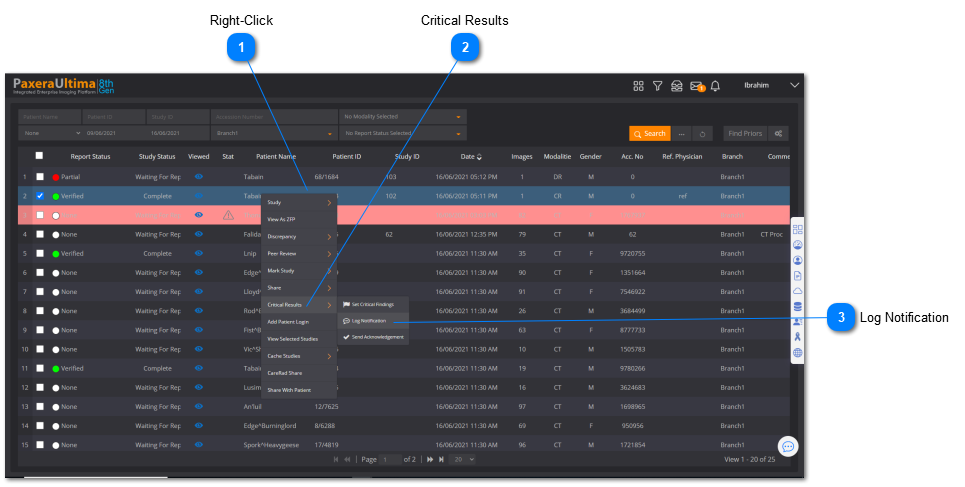
 To log a notification for a critical finding on the worklist, follow the instructions below:
  Right-ClickRight-click the study-of-interest on the worklist.
|
|
 Critical ResultsSelect 'Critical Results' from the drop-down menu.
|
|
 Log NotificationClick on 'Log Notification' and another menu should appear.
|
|
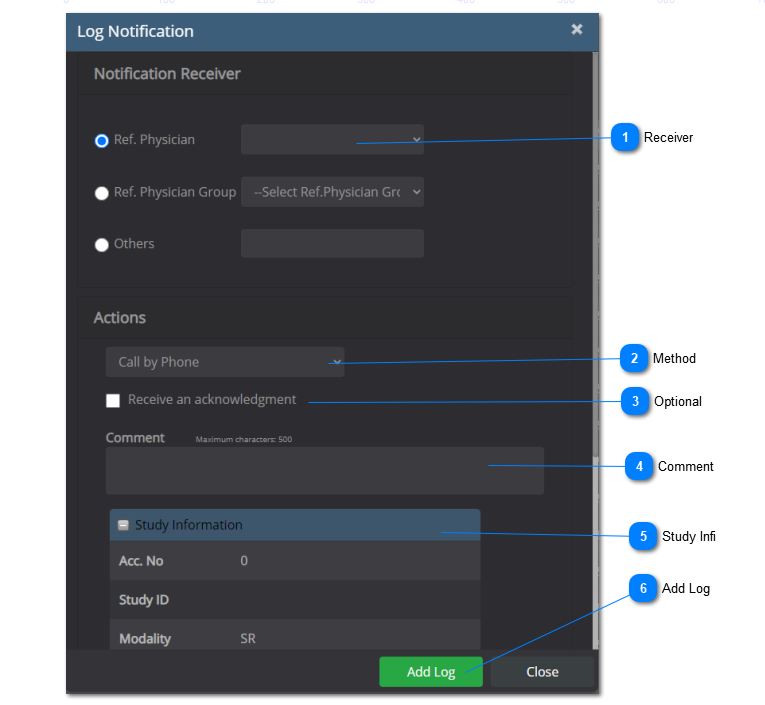
See below for more information on the Log Information menu:
-
-
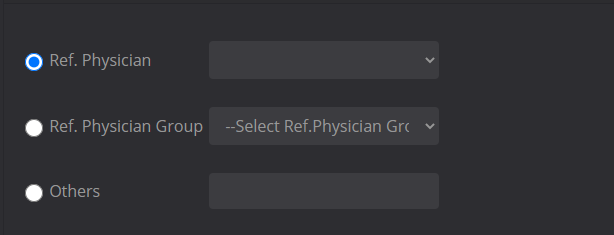
Use the drop-down menu to choose who needs to receive the notification.
-
-
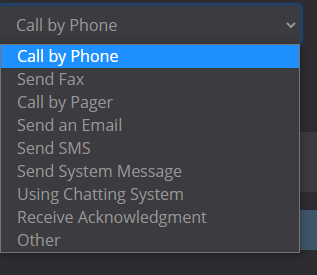
Select the method in which the patient is contacted.
-
-
Select whether or not an acknowledgement needs to be sent from the referring physician.
-
-
Type in any relevant comments.
-
-
Click on  to expand the 'Study Information' folder and see more details pertaining to the study.
-
-
Click on 'Add Log' to save the information.
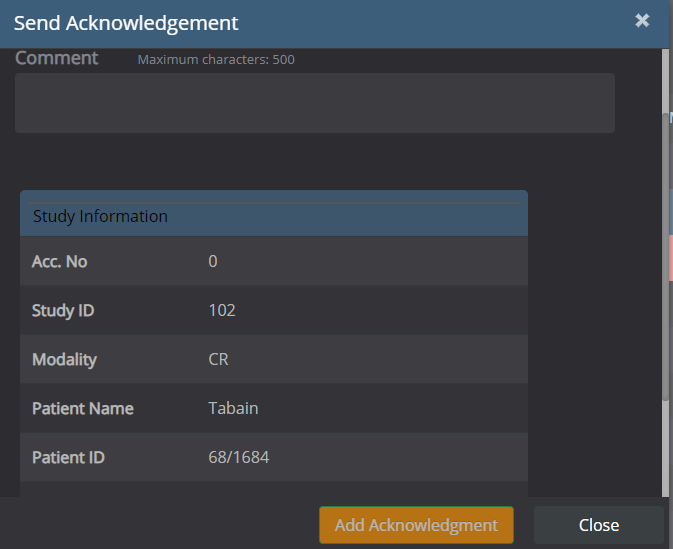
Referring physicians can log into Ultima to submit an acknowledgement as shown below:
To log a notification for a critical finding on the viewer, follow the instructions below:
-
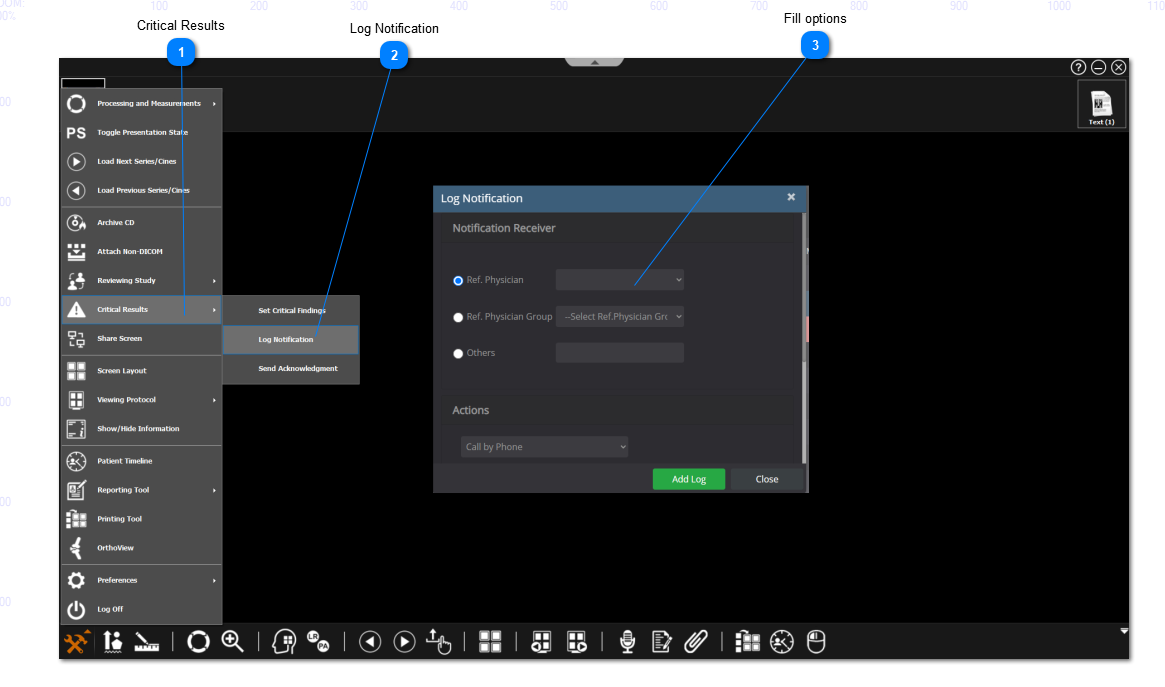
Click on the 'Main Toolbox' on the bottom left corner.
-
Select 'Critical Results' from the drop-down menu.
-
Select 'Log Notification' from the next set of options.
-
Fill in the log notification menu.
-
You can add the 'Critical Results' button as a shortcut on the bottom toolbar panel.