Ultima User Guide (c) Copyright by PaxeraHealth Corp. 2021
5.3.1. XDS Settings
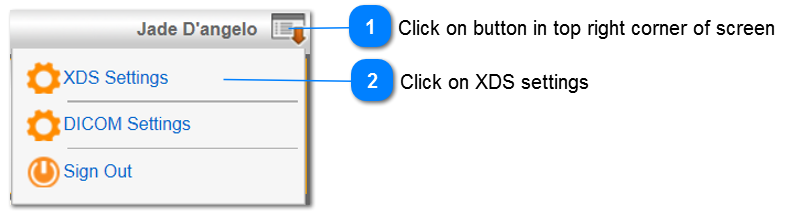
The XDS settings enable the user to view, edit, and delete the PDQ consumer, PDQ supplier, XDS host, and remote host information. To access the XDS settings, follow the steps below:
From the universal viewer:
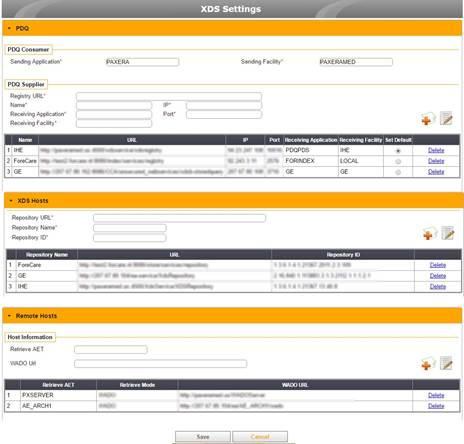
The XDS settings page will open, as shown below:
• PDQ - View, edit, and delete the PDQ consumer and supplier information
• XDS host - View, edit, and delete the XDS host information
• Remote host - View, edit, and delete the remote host information