13.1.0. Profile Information
The Profile enables the user to view their profile information, change their password and security question, and to add/edit the signature file.
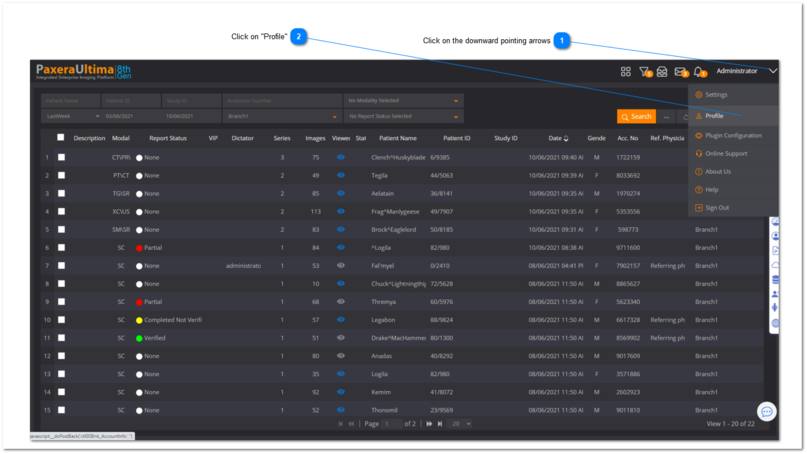
To access the profile information, follow the steps below:
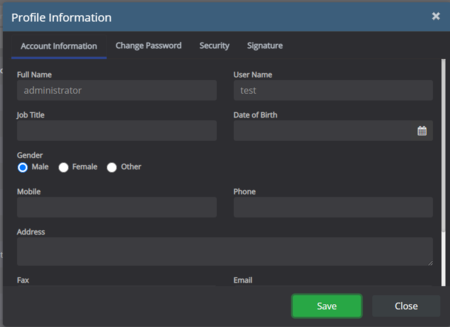
Account information
View/edit any of the information fields and then click on the ‘Save’ button:
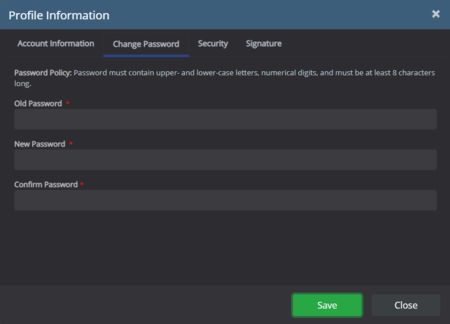
Password
Enter the old and new password and then click on the ‘Save’ button:
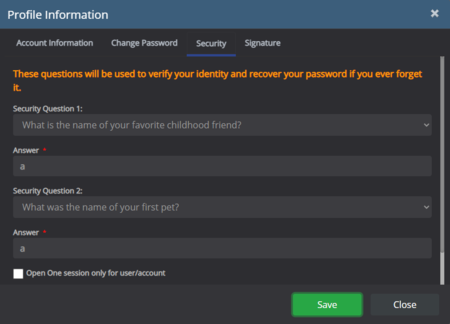
Security question
The security question is used to reset your password in the case that you forget your password.
Select the security question from the dropdown list and type in the answer to it and then click on the ‘Save’ button :
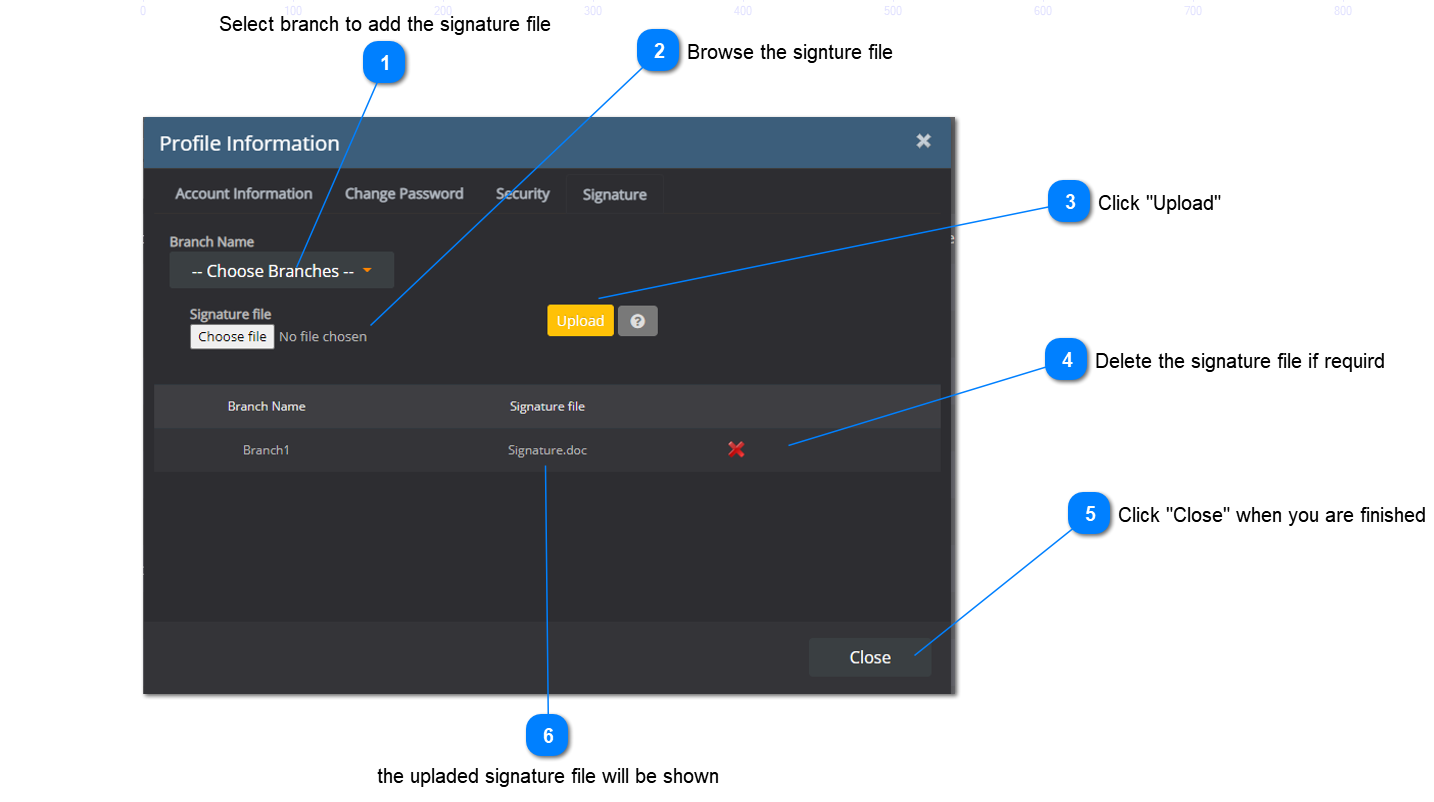
Signature file
The signature file is used for when you verify medical reports (see Reporting module) - it will add your digital signature to the end of the report.